
Want to get more out of your user generated content (UGC)?
Repurposing it into short videos for platforms like TikTok, Instagram Reels, and YouTube Shorts is a game-changer. Here's why:
- Why UGC Works: People trust content from real users more than ads. UGC feels personal, relatable, and builds trust.
- Why Short Videos?: Short videos grab attention fast and perform better on social platforms, especially with younger audiences.
- Cost Savings: Brands using UGC report up to 50% lower production costs while boosting engagement by 28%.
- Simple Process: Collect UGC, get permissions, edit for each platform, and track performance for better results.
- Tools Help: Tools like DriveEditor make editing faster and easier with features like cropping, text overlays, and batch editing.
How to Turn 1 Piece of Content into 20 (in an Hour) - My Content Repurposing Strategy
Preparing UGC for Repurposing
When it comes to repurposing user-generated content (UGC), preparation is key. This involves securing permissions, identifying high-quality content, and organizing your assets effectively. Below, we’ll break down the essential steps to ensure your UGC is ready for repurposing.
Getting Permission and Staying Legal
Before diving into repurposing, you need to cover your legal bases. Always get explicit permission from the original creator before using their content. Under U.S. copyright law, creators have ownership rights over their work, and using it without proper consent can lead to legal trouble. A written agreement is ideal - it should outline where the content will be used, for how long, and any planned edits or modifications. This not only protects you but also ensures transparency with the creator.
Be mindful of additional legal considerations. For example, if the UGC includes copyrighted music, logos, or other third-party materials, you’ll need separate permissions to use those elements. Imagine a customer’s testimonial video featuring a popular song in the background - you’d either need to secure the rights to the music or remove it entirely. Similarly, if the content includes other identifiable individuals, such as friends or family members, make sure to get their consent too. This is particularly important for footage taken in private settings or involving minors.
Selecting the Best UGC
The quality of the UGC you choose will directly impact your repurposed content. Look for content that aligns with your brand’s tone and values, has high resolution, clear audio, and good lighting, and works well in short-video formats. Popular types of UGC to consider include customer testimonials, product demonstrations, and creative uses of your products.
To make informed choices, analyze your audience’s preferences using social media analytics. For instance, a brand targeting younger audiences might lean toward trendy, high-energy clips, while a family-focused brand might prioritize relatable, everyday moments. Reviewing past engagement metrics can also reveal what types of content resonate most with your audience. Additionally, aim for diversity by selecting UGC that showcases a mix of perspectives and relatable scenarios.
Organizing and Storing UGC
A well-organized system makes repurposing UGC much easier. Use cloud storage platforms like Google Drive to centralize your content. Create a logical folder structure based on campaigns, content types, or creators (e.g., "Q4 2025 Campaign", "Product Testimonials", or "Unboxing Videos"). Stick to consistent file naming conventions, such as "YYYY-MM-DD_CreatorName_ContentType", to keep everything tidy and searchable.
Assign access levels thoughtfully - video editors might need full editing permissions, while social media managers may only require viewing or commenting access. To make searches faster, tag or label files with metadata like the source platform, usage rights, content themes, and target platforms.
Google Drive’s built-in editor can simplify the process by allowing you to trim, crop, adjust brightness, or add text directly within the platform - no downloads required. It also offers tools for batch processing, like preset filters and metadata removal, which can save time while maintaining privacy. Shared folders further enhance collaboration by providing secure access to your team members.
Editing UGC into Short Videos
Once your user-generated content (UGC) is sorted and ready, the next step is turning it into compelling short videos. This involves using focused editing techniques to maximize engagement and impact.
Basic Editing Techniques
Start by trimming your clips to highlight the best moments. Cut out unnecessary intros or outros - get straight to the good stuff. For example, in customer testimonials, skip the awkward setup and jump directly to the glowing product feedback.
Adjust the aspect ratio to fit the platform. While most UGC is shot in horizontal format, short-form platforms like TikTok and Instagram Reels favor vertical videos. Crop your footage to a 9:16 ratio, keeping the focus on key visuals, such as the person speaking or the product being showcased.
Add text overlays and captions to provide context, emphasize benefits, and boost accessibility. For instance, captions on product unboxing videos not only improve engagement but also make your content more inclusive. Use bold, easy-to-read text in contrasting colors that align with your brand's visual style.
Incorporate branding elements to maintain consistency across your content. Place your logo in a discreet corner, use your brand's color palette for text and overlays, and stick to your standard fonts. These touches should complement the authenticity of the UGC without overwhelming it.
Using DriveEditor for Quick Video Editing
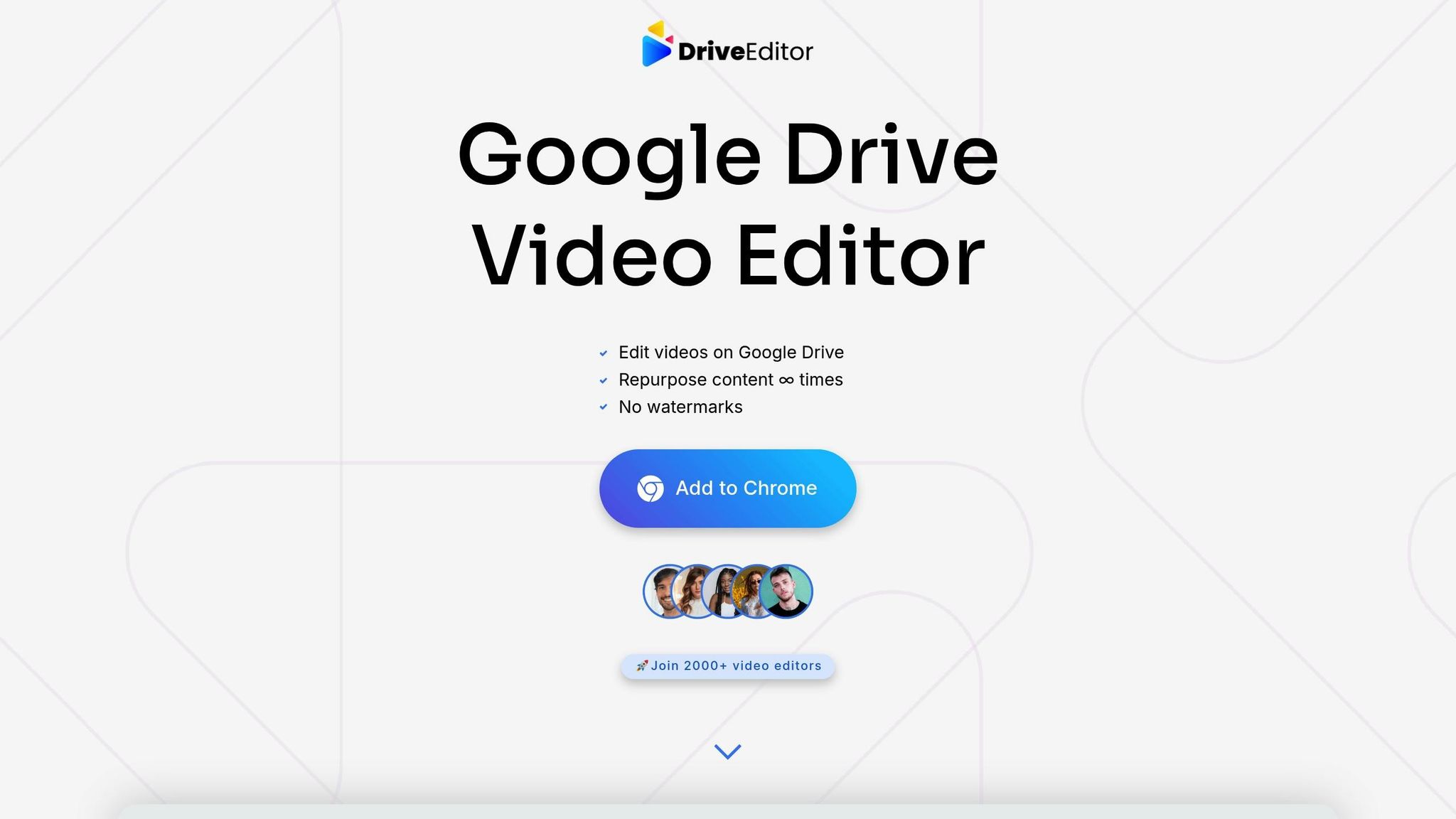
DriveEditor simplifies the editing process, letting you work directly within Google Drive without downloading files. After installing the Chrome extension, log in to your Drive account, select your UGC file, and click "Edit video" under the preview to open the editor.
Trim your videos to the desired length, and use cropping tools to convert horizontal clips into vertical format while keeping the subject centered. For customer testimonials, condense 2-3 minute clips into 15-30 second highlights for better viewer retention.
The text overlay feature allows you to add product names, discount codes, or calls-to-action directly onto your video. This eliminates the need to switch between apps. You can also tweak brightness and contrast to improve the look of footage shot in less-than-ideal lighting.
DriveEditor's copy/paste presets save time by letting you apply the same settings - like cropping or text styles - across multiple videos. This ensures a consistent look and feel while streamlining your workflow.
Another handy feature is metadata removal, which clears hidden video data that could flag your content as duplicate material, helping you avoid issues like shadowbans.
The tool supports popular video formats like MP4, MOV, AVI, MKV, and WEBM. For best results, keep videos under 50MB and shorter than 5 minutes. The free plan offers 10 edits per month, while paid options range from $7 for 30 edits to $19 for 200 edits.
Meeting Platform Requirements
After editing, make sure your videos meet the technical standards of the platforms you’re targeting. For example, TikTok and Instagram Reels favor vertical 9:16 videos with a resolution of at least 1080x1920. TikTok allows videos up to 10 minutes, while Reels caps at 90 seconds, though shorter clips tend to perform better on both.
YouTube Shorts follows similar guidelines, with a vertical format and a maximum length of 60 seconds. MP4 files with the H.264 codec are recommended for smooth uploading and processing. Keep file sizes under 50MB for faster uploads.
Each platform also has unique engagement strategies. TikTok prioritizes videos with high watch-through rates, so grab viewers’ attention within the first 3 seconds. On Instagram Reels, using trending audio and hashtags can boost visibility, so consider swapping original UGC audio for popular sounds while preserving the video’s authenticity.
Consistency across platforms is key to building brand recognition. Keep your logo placement and text overlays uniform, but adjust pacing and hooks based on the platform. For instance, a testimonial might need faster cuts and dynamic text for TikTok, while a slightly longer, more detailed version could work better on Instagram Reels.
Instead of posting identical content everywhere, tailor your videos to suit each platform. A single piece of UGC could become a 15-second teaser for TikTok, a 30-second in-depth clip for Instagram Reels, and a 45-second educational video for YouTube Shorts. By customizing your edits, you can better connect with each platform’s audience and algorithm preferences.
sbb-itb-0482353
Publishing and Optimizing Repurposed UGC
Once you've transformed your user-generated content (UGC) into engaging short videos, the next step is publishing and fine-tuning them to maximize their impact. While publishing gets your content out there, optimizing it ensures it reaches the right audience and drives engagement. The key? Metadata. It plays a huge role in setting successful videos apart from those that get overlooked.
Optimizing Metadata for Better Discovery
Metadata helps platforms understand your video and match it with the right viewers. Start with titles that clearly convey the value of your video and include keywords your audience is searching for. Instead of something generic like "Customer Video", try a more descriptive title like "How One Customer Achieved 30-Day Fitness Results with Our Program."
Descriptions should pack a punch in the first two lines. Since most platforms truncate longer text, make these lines count. Naturally weave in keywords, but don’t overdo it - nobody wants to read something that sounds like a robot wrote it. For example, a skincare testimonial might reference "prepping for summer beach days" rather than using vague seasonal language.
Hashtags are another crucial piece of the puzzle. Strike a balance between broad and niche-specific tags. For example, a fitness product review might combine popular tags like #FitnessJourney and #CustomerReview with more targeted ones like #HomeWorkout or #MadeInUSA. If your business serves a specific area, location-based tags like #ChicagoEats or #NYCFoodie can help attract a local audience. Use platform analytics to see which hashtags perform best, and refine your strategy as needed.
Once your metadata is optimized, it's time to focus on smart publishing practices.
Publishing Best Practices
Timing is everything. Posting at the right time can significantly boost your video's reach and engagement. For example, weekdays between 11:00 a.m. and 2:00 p.m. often work well, but this varies depending on the platform. TikTok tends to see higher activity in the evenings, while Instagram Reels perform better during lunch breaks or after work hours. Use tools like Instagram Insights, TikTok Analytics, or YouTube Studio to pinpoint the best posting times for your audience.
Consistency beats frequency. Instead of overwhelming your audience with daily posts, aim for a steady schedule - like three high-quality videos each week. A consistent rhythm not only builds audience expectations but also earns favor with platform algorithms. Stagger your posts across platforms to avoid overwhelming your followers with identical content at the same time.
Cross-platform promotion can amplify your reach. For example, share a teaser clip on Instagram Stories that directs viewers to the full video on TikTok, or use YouTube Community posts to promote your latest Shorts. Each platform has its own audience behaviors, so adapt your approach to fit.
Engage early with your audience. Responding to comments within the first hour of publishing signals to algorithms that your content sparks meaningful interaction. This early engagement often determines whether your video gets pushed to a broader audience or remains within your existing follower base.
Tracking Performance Metrics
To understand how your content is performing, dig into the numbers.
- Views and watch time are basic indicators, but retention rates reveal more. If viewers consistently drop off after 10 seconds, it’s time to rethink your hook. Use platform analytics to study retention curves and pinpoint where interest fades.
- Engagement metrics like likes, comments, and shares show how well your content resonates. Focus on engagement rates rather than raw numbers - a video with 1,000 views and 100 likes is performing better than one with 10,000 views and 200 likes.
- Shares are gold. UGC videos with authentic customer stories often get shared more than polished brand content. Pay attention to which types of testimonials or product demos generate the most shares.
- Follower growth and profile visits are signs that your videos are attracting new viewers. Track these metrics over time to see which topics or formats drive the most growth.
- Conversions are the ultimate goal. Use tools like Instagram's link stickers or TikTok's shopping tags to track how many viewers take action after watching your videos. Add UTM parameters to your bio links to measure traffic and sales generated by specific posts.
- A/B testing can help fine-tune your strategy. Experiment with different titles, hashtags, or thumbnail images to see what works best. For instance, test whether including a customer’s name in the title outperforms a title focused on product benefits.
Weekly performance reviews are essential for spotting trends and making quick adjustments. Look for patterns in your top-performing content. Do certain customer stories resonate more? Are videos featuring specific products driving higher engagement? Use these insights to refine your approach for future videos.
Manual vs Tool-Based Editing Comparison
When it comes to repurposing user-generated content (UGC) for short videos, you typically have two options: manual editing or using tools like DriveEditor. Each method offers unique advantages and challenges that can shape your content creation process and overall efficiency.
Manual Editing: Pros and Cons
Manual editing provides full creative control over every detail of your video, from transitions to effects. This method is ideal for flagship projects that demand a distinct style or intricate customizations.
With traditional editing software, you can fine-tune elements like color grading, add detailed overlays, and create multi-layered compositions that align with your brand's identity. However, this level of control comes at a cost. The time commitment is substantial - what a tool might handle in minutes could take hours when done manually. Additionally, mastering advanced software requires significant technical expertise. For teams without dedicated video editors, this can slow down production and create bottlenecks. If you’re managing a large volume of UGC, the time-intensive nature of manual editing can make it hard to keep up with publishing schedules or respond to timely trends.
Why DriveEditor Stands Out
On the other hand, DriveEditor offers a more streamlined approach tailored for quick UGC repurposing. This browser-based tool integrates directly with Google Drive, making it a go-to option for social media marketers working at scale.
One of its standout features is Copy/Paste Editing Presets. Once you’ve perfected the settings for one video - tweaking brightness, adding text overlays, or cropping - you can easily apply the same adjustments to multiple videos. This ensures a consistent look across your content while saving time, especially when working with batches.
Because DriveEditor operates entirely in the cloud, there’s no need to download and re-upload files. This not only reduces security risks but also enables real-time collaboration. Team members can access and edit videos directly in shared Google Drive folders, speeding up the approval process and keeping projects on track. Additionally, its metadata removal feature enhances privacy and helps avoid issues with platform policies.
| Aspect | Manual Editing | Drive Editor |
|---|---|---|
| Processing Speed | Slower for basic edits | Fast and efficient for quick repurposing |
| Technical Expertise | Requires advanced skills | Easy to use, minimal learning curve |
| Workflow Efficiency | Time-consuming, repetitive tasks | Batch editing with Copy/Paste Presets |
| Storage Management | Local downloads and uploads required | Direct editing in Google Drive |
| Team Coordination | Complex file sharing and version control | Real-time collaboration in shared folders |
| Data Protection | Higher risks with local storage | Cloud-based with secure access controls |
| Investment Required | High upfront software costs | Flexible pricing starting at $7/month |
These comparisons highlight why many social media marketers lean toward DriveEditor for fast, secure, and collaborative video editing. It simplifies workflows and ensures high-quality results, making it an efficient choice for repurposing UGC.
Conclusion
This guide highlights how repurposing user-generated content (UGC) can significantly enhance your content strategy. By reimagining existing material, brands and creators can extend the value of their content, reaching wider audiences on platforms like TikTok, Instagram Reels, and YouTube Shorts without the constant grind of creating something new.
Effective repurposing involves more than just reposting - it requires thoughtful editing tailored to the unique demands of each platform and its audience. As we've covered, securing proper permissions, selecting high-quality content, and maintaining a consistent editing style are all essential for preserving your brand's identity while boosting engagement.
The right tools can transform your workflow. For instance, DriveEditor simplifies the process by allowing edits directly in Google Drive and using Copy/Paste Presets for quick, uniform adjustments. This is especially useful when managing large amounts of UGC, ensuring your content stays on-brand while cutting down production time.
The numbers speak for themselves: repurposing long-form content can lead to massive audience growth. Alex Harmozi, for example, grew his following from 180,000 to 1.2 million, while Gary Vaynerchuk churns out up to 64 pieces of content daily.
To refine your approach, let analytics guide you. Monitor metrics like engagement rates, reach, and conversions to determine what resonates most with your audience. This data-driven strategy ensures your repurposing efforts deliver maximum impact and return on investment.
With platforms like TikTok boasting one billion monthly active users and the increasing demand for short-form content across social media, repurposing UGC is no longer optional - it’s critical for staying competitive. Combining authentic UGC with efficient editing tools fosters engagement, builds trust, and drives measurable results.
Whether you're a marketer, creator, or brand manager, the principles remain clear: organize your content, uphold quality, and utilize tools that streamline your process. Investing in these systems not only saves time but also amplifies your reach and impact.
FAQs
What legal guidelines should I follow when turning user-generated content into short videos?
When turning user-generated content (UGC) into short videos, it's crucial to stick to legal rules to steer clear of potential problems. Start by obtaining clear permission from the original creator before using their content - even if it’s publicly accessible. Also, take time to review the terms of service of the platform where the content was originally shared to ensure you're following the guidelines.
If you plan to edit the videos, ensure your final version aligns with copyright laws and any applicable licensing agreements. Following these steps not only keeps you legally safe but also helps maintain trust with both your audience and the creators whose content you’re using.
How can I make my repurposed UGC videos work well on platforms like TikTok, Instagram Reels, and YouTube Shorts?
To make the most of your repurposed UGC videos on TikTok, Instagram Reels, and YouTube Shorts, it's essential to customize them for each platform. Pay attention to the video’s aspect ratio, length, and content style to align with what each platform’s audience enjoys.
For fast and straightforward edits, tools like DriveEditor can be a game-changer. This tool allows you to edit videos directly in Google Drive, offering features like trimming, adding text, cropping, and tweaking brightness and contrast. These options make it simple to produce polished, eye-catching short-form videos. Ensuring your content is visually appealing and straight to the point will boost its performance across all platforms.
What makes Drive Editor a better option for editing user-generated content (UGC) into short videos?
DriveEditor makes it easy to turn user-generated content (UGC) into captivating short videos. As a Google Drive Chrome extension, it lets you edit videos directly in your Drive - no more juggling between tools or dealing with complex workflows.
Packed with handy features like text overlays, trimming, cropping, brightness and contrast adjustments, speed control, and metadata removal, DriveEditor streamlines quick edits. It's an ideal tool for clippers, freelance video editors, and social media marketers looking to repurpose content with speed and efficiency.