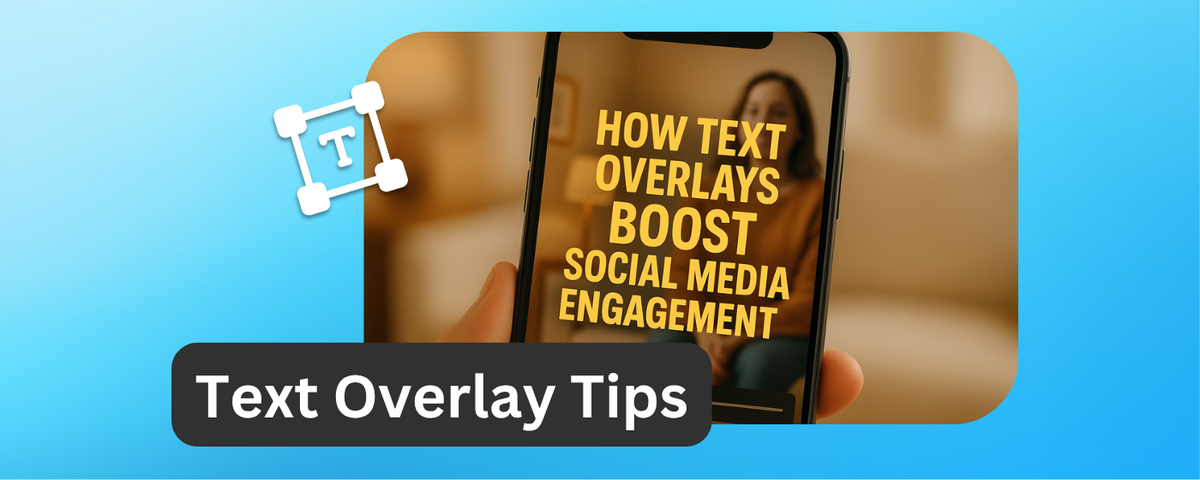
Text overlays are a game-changer for social media videos.
Especially in a world where most viewers watch without sound. Here’s why they matter:
- Silent Viewing is the Norm: Up to 85% of Facebook videos are watched muted, and other platforms like Instagram and TikTok see similar trends.
- Higher Engagement: Videos with text overlays can boost engagement by 25%, improve message retention by 30%, and increase view time by 28%.
- Accessibility: Overlays ensure your content reaches everyone, including those who are deaf, hard of hearing, or watching in sound-sensitive settings.
- Better Performance Across Platforms: From higher click-through rates on YouTube to a 130% engagement increase on Instagram Reels, overlays drive results everywhere.
Adding clear, concise overlays grabs attention, communicates your message instantly, and keeps viewers engaged longer. Tools like DriveEditor make it easy to create professional overlays directly in Google Drive, saving time and effort. To improve your results, focus on short text (3-8 words), high-contrast colors, and key stats or calls-to-action within the first three seconds of your video.
How To Increase Watch Time On TikTok Videos (Text Overlays With Layering Method - Easy Content Idea)
Silent Video Viewing and Its Effect on Content Creation
The way people consume videos has changed drastically - sound is no longer a given. Where audio used to be a key part of video content, silence now reigns supreme. This shift has forced content creators to rethink their approach, prioritizing visuals to communicate effectively.
Let’s dive into just how common silent video viewing has become.
How Common Silent Video Viewing Has Become
Silent video consumption isn’t just a passing phase - it’s now the norm on social media. The numbers back this up: 85% of mobile video viewers watch without sound across platforms. This marks a fundamental shift in how audiences engage with video content.
Why is this happening? It’s often about practicality. People scroll through social feeds in places where sound would be disruptive or inconvenient - like at work, on public transport, in libraries, or late at night. Silent browsing has become second nature, leading creators to rethink how they deliver their messages.
The impact on content creation has been profound. Videos that once leaned heavily on narration, music, or sound effects now have to communicate nearly everything visually. This has sparked a surge in the use of text overlays and captions to ensure the content makes sense even with the sound off.
Interestingly, silent-friendly videos tend to keep viewers engaged longer and deliver a return on investment that’s 1.8 times higher than audio-dependent videos. As a result, creators now design their content with visuals as the centerpiece, rather than treating them as an afterthought.
Autoplay features on social platforms have further shaped this silent viewing trend.
Autoplay Features and How Users Respond
Autoplay videos on platforms like Instagram, Facebook, and TikTok have made the need for strong visuals even more critical. With videos starting automatically - usually muted - creators only have a few seconds to grab attention before viewers scroll past.
This has given rise to what's known as the "first three seconds rule" - a crucial window where creators must use text overlays or striking visuals to hook their audience. Unlike traditional videos, autoplay content doesn’t get the luxury of a viewer’s active choice; it has to prove its value instantly.
Creators have adapted quickly. Many now treat text overlays as the backbone of their videos, using audio as an optional enhancement rather than the main storytelling tool. This ensures that whether viewers watch with sound or not, they still understand the message.
Platform algorithms also favor visually engaging content. Videos that emphasize key points with clear overlays can see up to a 40% boost in engagement. This is partly because such videos perform better in autoplay environments, where grabbing attention from the first frame is critical. Platforms reward content that keeps users watching, making text overlays not just useful but essential for creators aiming to succeed.
Some creators have taken this adaptation a step further by uploading static images as videos with animated text overlays. This clever tactic allows them to tap into video algorithms while ensuring their content is accessible to silent viewers. It’s a testament to how much silent viewing has reshaped content strategies.
Interestingly, designing for silent viewing often results in clearer, more focused messaging that resonates with all audiences, regardless of their audio preferences. Videos with concise text overlays boast a 13% higher brand and message recall compared to those with longer, wordier captions. This approach also improves accessibility for viewers who are deaf or hard of hearing, making it a win-win for creators and audiences alike.
How Text Overlays Boost Engagement Numbers
Numbers don’t lie - adding text overlays to your videos can significantly improve your social media game. When creators strategically integrate text into their content, they’re not just making it easier to understand; they’re also driving higher engagement across platforms.
Higher Engagement Rates with Text Overlays
Text overlays are especially effective in the era of silent video consumption. Research shows that videos with text overlays can boost engagement rates by as much as 40% compared to those without them, while also increasing view time by 28%. These numbers highlight just how impactful overlays can be for success on social media.
Why do text overlays work so well? They grab attention in a fast-moving feed, delivering a clear message instantly. Posts with overlays tend to get more likes, shares, and saves because they communicate value right away. In today’s crowded social media landscape, this ability to stand out is invaluable.
There’s also a psychological edge. Videos featuring short, concise text overlays improve brand and message recall by 13% compared to videos with longer text. This means viewers don’t just engage in the moment - they actually remember your content later, which can lead to stronger brand awareness and even conversions.
Better Viewer Retention and Completion Rates
Text overlays don’t just pull viewers in - they keep them watching. This is critical, especially since most social media videos are watched without sound. Captions and overlays help retain viewers for longer, which improves overall performance metrics.
Case studies back this up. For example, some videos with overlays see viewers sticking around for 45 seconds or more on clips just over a minute long. That’s a huge win in the world of short-form content.
Educational videos, like tutorials, see even better results. How-to videos with overlays can achieve an average completion rate of 82% for clips under a minute. Viewers can follow along visually, even if they’re in a sound-off environment.
There’s an added bonus: dual-channel processing. Studies show that people retain 95% of a message when it’s presented in a video format, compared to just 10% when it’s text-only. This enhanced retention directly boosts engagement and builds stronger connections with your audience.
Performance Data by Platform
Different platforms show varying benefits from text overlays, and understanding these differences can help creators fine-tune their strategies for maximum impact.
| Platform | Text Overlay Impact | Key Performance Metrics | Key Feature |
|---|---|---|---|
| 28%+ view time increase | 85% of videos watched silently | Autoplay makes overlays essential | |
| 130% higher engagement for vertical videos | Strong performance in Stories and Reels | Mobile-first viewing prioritizes text | |
| TikTok | Highest engagement boost for short-form overlay content | Algorithm favors accessible content | Text overlays crucial for viral potential |
| YouTube | Better click-through rates with thumbnail text overlays | Longer content benefits from captions | Thumbnails with text perform better |
Facebook stands out because 85% of its videos are watched without sound. This makes text overlays a must-have for delivering your message effectively. Videos designed with overlays consistently outperform those that rely only on audio.
Instagram and TikTok thrive in mobile-first environments. Vertical videos with text overlays perform 130% better in terms of engagement compared to horizontal formats. The combination of vertical orientation and well-placed text makes these videos ideal for mobile users.
On YouTube, text overlays work on multiple levels. Thumbnails with text improve click-through rates, while in-video captions help viewers stay engaged, especially with longer or more complex content.
Across all platforms, the pattern is clear: text overlays grab attention. Studies show that when a visual overlay is present, there’s an 80% chance viewers will notice it. This attention translates directly into higher engagement.
Short-form videos (under five minutes) already receive more than twice the engagement of longer content. Adding text overlays ensures these videos are not only engaging but also accessible and easy to understand, helping creators make the most of this growing trend.
Why Text Overlays Work: The Psychology Behind Them
Text overlays are a powerful tool because they tap into how our brains process information. By combining visual and verbal elements, they create a more engaging and memorable experience - perfect for today’s fast-paced digital world.
How the Brain Processes and Remembers Messages
Text overlays work thanks to something called dual coding theory. This theory suggests that when we process both visual and textual information together, our brains create two pathways for understanding and remembering a message. So, when you pair visuals with text overlays, you’re doubling the chances that your audience will retain the information.
Here’s the kicker: viewers retain up to 95% of a message when delivered via video, compared to just 10% when it’s text-only. Campaigns using this approach have even seen engagement jump by over 300%. Why? Because text overlays anchor key points, making them easy to grasp - even in fast-paced or silent viewing situations.
This process, known as multimodal processing, strengthens neural connections, making it easier for viewers to remember your content. The proof is in the numbers: short, concise text overlays in videos boost brand and message recall by 13% compared to videos without overlays or those with longer text. In other words, text overlays don’t just engage viewers in the moment - they help them remember your brand long after they’ve scrolled past.
Beyond memory, text overlays also improve accessibility. They ensure your message is clear and inclusive, reaching audiences who might otherwise miss out.
Making Videos Accessible to More People
The rise of silent viewing has reshaped how we consume video content, and text overlays are key to making your message accessible. They’re not just about engagement - they’re about ensuring everyone can understand your content, whether they’re deaf, hard of hearing, or simply watching without sound.
Think about how often people watch videos in silence: during commutes, in offices, late at night, or in public spaces. Text overlays ensure your message gets through, no matter the setting. This trend isn’t limited to one platform either. Across Instagram, TikTok, and Facebook, creators and marketers are using overlays to make their content clear and effective:
- Instagram Stories: Influencers highlight promo codes and calls to action with overlays, leading to better engagement.
- TikTok Tutorials: Creators add captions to summarize steps, keeping content accessible and engaging without sound.
- Facebook Ads: Text overlays displaying discounts or pricing result in higher click-through rates because the offer is instantly visible.
Text overlays also help simplify complex ideas. By breaking information into manageable chunks, emphasizing key stats, or spotlighting calls to action, they make content easier to digest. This is especially useful for educational or informational videos, where viewers benefit from seeing critical points reinforced visually.
There’s another psychological benefit: reducing cognitive load. When viewers don’t have to strain to catch details or rely on audio, they can focus their energy on engaging with your message. This makes your content not only easier to understand but also more enjoyable to watch - and that leads to higher engagement.
For marketers, understanding these psychological principles is essential. Using tools like DriveEditor, which allows you to quickly add and customize text overlays directly in Google Drive, makes it easier than ever to create content that connects with your audience. By streamlining the editing process, you can focus on crafting videos that are both accessible and impactful.
sbb-itb-0482353
Best Practices for Text Overlays on Short-Form Video Platforms
Text overlays are a powerful way to grab attention instantly, capitalizing on both human psychology and platform algorithms. By understanding how people consume content today, you can create overlays that resonate and perform effectively.
Short Attention Spans and the 3-Second Rule
The first three seconds of your video are crucial. In this fleeting moment, users decide whether to keep watching or scroll past. Text overlays act as a hook, providing immediate context or intrigue to stop viewers in their tracks. On platforms like TikTok, creators often use bold, high-contrast text to tease or summarize content, answering the viewer's unspoken question: "Why should I care?"
Your opening text should be short, punchy, and easy to read. Skip complicated sentences or technical terms - keep it simple. Phrases like "3 Ways to…" or "The Secret Behind…" work well because they promise clear value upfront. Use high-contrast colors to ensure your text is legible on any screen size or background.
Working with Platform Algorithms
Text overlays don't just appeal to viewers - they also align with platform algorithms that prioritize engaging content. Algorithms favor videos that quickly grab attention and keep viewers watching. Well-timed text overlays help achieve this by delivering key information even when videos autoplay without sound, boosting retention and visibility.
To make the most impact, introduce your text overlays within the first second of the video. As the video unfolds, use additional overlays to emphasize key points. For example, Instagram Reels often incorporate animated text that syncs with pivotal moments, making the content both engaging and easy to follow. Keep animations subtle, though - too much movement can distract from your message.
For marketers juggling multiple videos, tools like DriveEditor can streamline the process. This tool lets you add and customize text overlays directly in Google Drive, making it easier to produce consistent, polished content efficiently.
Tracking Text Overlay Performance: Key Metrics to Watch
Text overlays can significantly enhance the effectiveness of your videos, but tracking their performance is the only way to fine-tune your strategy. By focusing on the right metrics, you can determine how well your overlays are working and identify areas for improvement. The data will show whether your overlays are driving the engagement and results you’re aiming for.
Main Metrics for Measuring Success
One of the most important metrics is watch time. This reveals how long viewers stick around after encountering your text overlays. Clear and engaging overlays can lead to significant improvements - some studies report a 28% increase in view time and a 1.8× ROI boost. Watch time is a direct indicator of how well your content is holding attention.
Another key metric is the engagement rate, which measures how viewers interact with your video. This includes likes, shares, comments, and saves. Research highlights that text overlays can increase engagement by as much as 25%. If your overlays encourage viewers to act, you’re on the right track.
For overlays with a call-to-action, click-through rate (CTR) becomes essential. This metric shows how effective phrases like "Learn More" or "Shop Now" are at prompting clicks, especially on platforms like Facebook, where 85% of videos are watched without sound.
Lastly, play rate is worth monitoring. This reflects the percentage of viewers who start watching your video after seeing it. A well-designed opening overlay can immediately grab attention, increasing the likelihood that viewers hit play.
These metrics serve as a foundation for A/B testing, allowing you to refine your text overlays for maximum impact.
A/B Testing to Improve Text Overlays
To optimize your text overlays, experiment with variables like fonts, colors, placements, and animations while keeping an eye on metrics like watch time, engagement rate, and CTR. For example, you could compare static subtitles with animated text callouts to see which keeps viewers engaged longer.
Color contrast is another area to test. Try bright white text on a dark background versus colored text with drop shadows. Running these variations on the same video can help you isolate what works best.
Placement also matters. Test overlays positioned at the top of the frame against those on the bottom third. You might also compare center-screen callouts with corner placements to see how location affects viewer interaction.
Animation timing is another factor to consider. Test overlays that appear immediately versus those that fade in after a few seconds. The goal is to grab attention without distracting from your message.
For creators juggling multiple test variations, tools like DriveEditor simplify the process. This feature allows you to duplicate and tweak text overlays directly within Google Drive, making it easier to create consistent test versions without starting from scratch.
Different Metrics for Different Goals
The metrics you prioritize should align with your campaign’s objectives:
- Brand awareness campaigns benefit from tracking engagement rates and brand recall. Concise overlays can consistently improve message retention, helping reinforce your brand’s key messages.
- For direct conversion campaigns, focus on CTR and conversion rates. In these cases, text overlays act as direct sales tools, featuring clear calls-to-action to drive clicks, purchases, or sign-ups.
- Community building efforts should prioritize metrics like comment rates and shares. Overlays that ask questions (e.g., "What do you think?") or encourage actions like "Tag a friend" or "Save this post" can spark discussion and sharing.
- Educational content requires tracking completion rates and retention at critical moments. Use text overlays to highlight key points or preview upcoming sections, and monitor whether viewers stay engaged throughout.
Platform-specific metrics can also provide valuable insights. For instance, Instagram Stories with overlay promo codes can be evaluated based on redemption rates. TikTok videos featuring tips in overlays may see increased saves and shares, while YouTube thumbnails with engaging text overlays have been shown to boost click-through rates.
How DriveEditor Makes Text Overlays Easy to Add
Text overlays are a proven way to boost social media engagement, and DriveEditor makes adding them a breeze. With this tool, you can edit videos directly in Google Drive - no need for downloads or hopping between apps. It turns Google Drive into a full-fledged video editing hub, perfect for creating content tailored for social media.
The seamless integration with Google Drive lets you access, edit, and share videos instantly. This is especially helpful for teams juggling multiple accounts or working on collaborative projects.
Main Features for Custom Text Overlays
DriveEditor's text overlay tools make it simple to create polished, professional-looking videos. You can customize font styles, sizes, and colors to align with your brand's aesthetic, ensuring your content stays consistent across platforms. The precise positioning options allow you to place text strategically, keeping it readable without covering important visuals.
Another standout feature is the support for high-contrast text combinations, which are essential for both accessibility and grabbing attention. Since 80% of viewers focus on visual overlays when they appear, having control over contrast is critical. Whether it’s light text on dark backgrounds or colorful fonts with optimal contrast, DriveEditor gives you the flexibility to cater to your audience’s preferences.
Timing matters too, and DriveEditor delivers with exact timing controls. You can decide precisely when your text appears and disappears, ensuring your key messages or calls-to-action hit at the right moment. This is crucial in capturing attention within the first few seconds of a video.
To save time, the tool includes copy/paste presets. Once you’ve nailed a text overlay style - complete with fonts, colors, and placement - you can save it as a preset for future use. This not only speeds up your workflow but also ensures consistency. After all, videos with text overlays see up to a 28% increase in view time and 13% higher brand recall.
These features don’t just make your videos look better - they also make the editing process smoother and faster, especially for collaborative projects.
Faster Video Editing for Social Media Marketers
Beyond text overlays, DriveEditor is designed to simplify the overall editing process, making it a go-to tool for social media marketers. The integration with Google Drive eliminates the hassle of downloading, editing in separate software, and re-uploading. Instead, everything happens within your existing Drive workspace.
This streamlined workflow is a game-changer, particularly for short-form videos, which dominate social media. With 56% of all videos worldwide clocking in under 2 minutes, marketers need tools that prioritize speed and simplicity. Drive Editor focuses on essentials like text overlays, trimming, and basic adjustments, cutting out unnecessary complexity.
For those managing multiple videos, the batch processing feature is a lifesaver. Using the preset system, you can apply consistent branding across various videos, whether you're crafting content for different platforms or testing multiple versions with varied overlays. This ensures professional-quality results, even when deadlines are tight.
Finally, DriveEditor’s flexible pricing options cater to everyone - from individual creators to large teams. With a free plan offering 10 edits per month and an unlimited plan at $29/month, it’s easy to maintain high-quality content without breaking the bank.
Conclusion: Boosting Engagement with Text Overlays
Text overlays have become a key ingredient for social media success, especially in today’s silent-first video landscape. The data is clear: videos with text overlays consistently achieve higher engagement rates, improved viewer retention, and stronger ROI compared to those without them.
Why do they work so well? It’s all about combining visual and verbal elements to make your message stick. By leveraging principles like dual coding theory and multimodal processing, text overlays help create lasting impressions. They make it easier for viewers to absorb and remember your content - even after they’ve moved on to the next post.
In a world where many people watch videos without sound - whether they’re commuting, in public spaces, or have hearing impairments - text overlays ensure your message gets through. This accessibility expands your reach and boosts performance metrics across platforms, proving their value in today’s content strategies.
Tools like DriveEditor simplify the process, allowing you to edit videos directly within Google Drive. This eliminates the hassle of downloading and re-uploading files, speeding up production. With features like customizable fonts, high-contrast text options, and easy-to-use presets, you can keep your branding consistent while collaborating seamlessly with your team.
To get started, try A/B testing different overlay styles on your existing content. Focus on keeping text concise and clear - aim for 3-8 words per overlay, use high-contrast colors, and ensure everything is readable on mobile screens. Track metrics like engagement rates, view time, and completion rates to see what resonates most with your audience. With the right tools and approach, text overlays can elevate your social media game and create meaningful connections with your viewers.
FAQs
How do text overlays make social media videos more accessible for people who are deaf or hard of hearing?
Text overlays play a crucial role in making social media videos more accessible by translating audio content into visual captions or subtitles. This ensures that viewers who are deaf or hard of hearing can still follow the spoken dialogue and key sounds featured in the video.
With tools like DriveEditor, adding text overlays is simple and effective. These features allow you to include captions that not only improve accessibility but also create a more engaging experience for a broader audience.
What are the best practices for using text overlays to grab attention within the first three seconds of a video?
To make your text overlays grab attention right away, focus on keeping them clear, bold, and well-timed. Use short, straightforward phrases with fonts that are easy to read, even on smaller screens. Choosing bright, contrasting colors can make your text stand out against the video background.
Position your text where viewers naturally look - often centered or in a focal area - and make sure it appears within the first few seconds of the video to deliver your message quickly. Match the text's timing to the video's flow, and avoid cramming in too much information at once to keep things visually appealing.
Tools like DriveEditor make it simple to add text overlays, fine-tune their size, color, and placement, and create videos that perform well on social media.
How can I track the impact of text overlays on social media engagement?
To see how text overlays influence social media engagement, keep an eye on important metrics like view counts, likes, comments, shares, and watch time. Compare these numbers from before and after you include text overlays in your videos to spot any trends or improvements.
If you're using tools like DriveEditor, adding text overlays becomes a breeze. You can edit your videos right inside Google Drive, making the process simple and efficient. This allows you to fine-tune your content and adapt it based on how well it performs on different platforms.