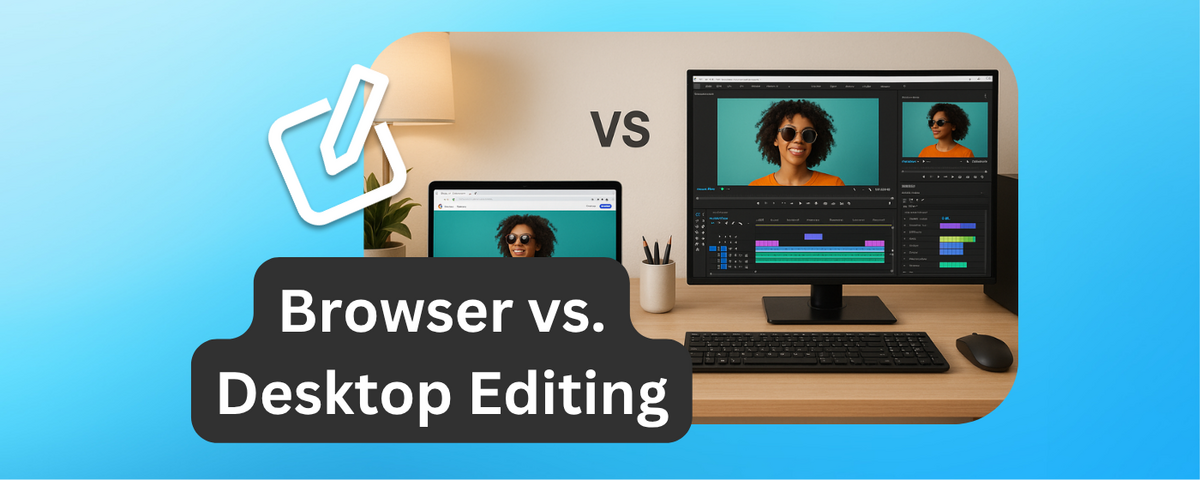
When it comes to short video editing, you have two main options: browser-based tools or desktop software. Each has its strengths and limitations, depending on your goals, budget, and technical needs.
- Browser-based tools like DriveEditor are great for quick edits, working on-the-go, and team collaboration. They’re accessible from any device with an internet connection, require no installation, and work well for smaller projects. However, they rely heavily on stable internet and have limited features compared to desktop software.
- Desktop software like Adobe Premiere Pro or Final Cut Pro offers advanced editing capabilities, offline functionality, and support for large, complex projects. But they require powerful hardware, have a steeper learning curve, and are generally more expensive.
Quick Comparison
| Feature | Browser-Based Tools | Desktop Software |
|---|---|---|
| Accessibility | Works in any browser | Requires installation |
| Internet Dependency | Requires stable connection | Works offline |
| Collaboration | Real-time sharing | Manual file sharing |
| Features | Basic editing tools | Advanced editing options |
| Cost | Free or low-cost subscriptions | Higher upfront or monthly fees |
| Hardware Requirements | Minimal | High-performance hardware |
| File Size Limits | Best for small files | Handles large files |
Which is right for you? If you’re editing short social media clips and need speed and accessibility, browser-based tools are a practical choice. For professional-grade editing or large-scale projects, desktop software is the better option.
Online vs. Traditional Video Editor Comparison: Which Performs Better?
Browser-Based Video Editing Tools
Browser-based video editing tools are changing the way videos are created. These platforms run directly in web browsers, so there's no need to download or install any software. All you have to do is visit a website or activate a browser extension, and you're ready to start editing.
How Browser-Based Video Editors Work
These tools rely on cloud computing to handle the heavy lifting. When you upload a video to the platform, all the processing happens on remote servers instead of your device. Your computer, tablet, or smartphone essentially becomes a control panel for editing, while the actual rendering is done in the cloud.
The process is straightforward: upload your files, make edits online, and then download or share the finished product. Most platforms support common video formats like MP4, AVI, and WEBM, though there may be some specific limitations. The interfaces are typically user-friendly, with features like timelines, preview windows, and tool panels that resemble basic versions of traditional desktop editing software.
Benefits of Browser-Based Editing
The perks of browser-based video editing go beyond convenience. One of the biggest advantages is cross-platform accessibility. You can pick up where you left off on any device with an internet connection. For example, a social media manager could start editing a video at the office and finish it at home on a different device.
Real-time collaboration is another standout feature. These tools allow multiple users to work on the same project simultaneously, leave comments, and track changes as they happen. This is particularly useful for teams spread across different locations or freelancers working with clients in various time zones. Plus, there’s no need to worry about updates - these platforms automatically roll out the latest features without requiring downloads.
Another big draw is the low hardware requirements. Since all the processing happens in the cloud, even older or budget devices can handle tasks that would normally require high-end hardware. This makes video editing more accessible for small businesses and individual creators who might not have the resources for expensive equipment.
Sharing and exporting videos is also a breeze. Many platforms let you publish directly to social media, integrate with cloud storage, and offer export options tailored to specific platforms. This eliminates the need to edit, export, and upload separately, saving time and effort.
Drawbacks of Browser-Based Editing
That said, these tools aren’t without their downsides. The biggest drawback is their reliance on a stable internet connection. If your internet is slow or unreliable, you could run into serious issues. And without an active connection, most browser-based editors simply won’t work.
Offline functionality is limited at best. Some platforms offer browser extensions for basic offline editing, but these features are usually far less capable than the full online version.
Another limitation is the lack of advanced editing features. Compared to professional desktop software, browser-based tools often fall short in areas like detailed color grading, advanced audio editing, or handling complex multi-track projects. The effects and transitions available are also more limited due to the processing constraints of web browsers.
File size and format restrictions can be another hurdle. Many platforms cap upload sizes, typically between 50MB and 2GB, depending on the service and subscription plan. This can be a problem for users working with high-resolution or longer videos.
DriveEditor: A Browser-Based Solution
DriveEditor is a great example of how browser-based tools can simplify video editing. Designed as a Chrome extension for Google Drive, it allows users to edit videos directly within their Drive accounts. This eliminates the need for downloading files or jumping between platforms, speeding up the workflow significantly.
The tool includes essential editing features like trimming, cropping, adjusting brightness and contrast, adding text, zooming, rotating, flipping, and controlling playback speed. It also lets users remove metadata, which is helpful for maintaining privacy and avoiding reposting issues when sharing content across platforms.
One standout feature is its "Copy/Paste Editing Presets." This allows users to apply consistent branding elements - like text overlays or color corrections - across multiple videos with just a few clicks. For social media marketers, this can save a lot of time compared to manually applying these edits in traditional software.
DriveEditor offers a free tier with 10 edits per month. For those who need more, pricing starts at $7 for 30 edits, with an unlimited plan available for $29 per month.
To get the best results, the tool works best with videos under 50MB and shorter than 5 minutes. It supports popular formats like MP4, AVI, MKV, and WEBM, making it ideal for creating short-form content like Instagram Reels, TikTok videos, and YouTube Shorts.
This tool is particularly suited for social media marketers, freelance editors, and content creators who need quick, efficient workflows. Its integration with Google Drive makes it easy to collaborate with clients and team members, streamlining feedback and approval processes that can otherwise slow things down.
Desktop Video Editing Software
Desktop video editing software offers a level of control and power that browser-based tools simply can’t match. These programs, like Adobe Premiere Pro, Final Cut Pro, DaVinci Resolve, and Shotcut, are installed directly on your computer and run locally. This means they don’t rely on an internet connection, making them a reliable choice for professionals and enthusiasts alike.
How Desktop Video Editors Work
Desktop video editors take full advantage of your computer’s hardware to handle even the most demanding editing tasks. When you import footage, all the processing - whether it’s applying effects, rendering, or playback - happens on your machine. This taps into your CPU, GPU, and RAM, delivering faster performance and smoother workflows.
For example, Adobe Premiere Pro uses your system’s hardware to optimize playback and rendering. It can automatically adjust preview resolution and leverage hardware acceleration from modern GPUs, ensuring seamless editing even with high-resolution files. These hardware advantages are what make desktop editors so powerful.
Benefits of Desktop Editing
One of the standout perks of desktop editing software is offline functionality. Since everything runs locally, you can edit wherever you are without worrying about internet access or data limits.
Desktop editors also offer advanced features that go far beyond the capabilities of browser-based tools. Adobe Premiere Pro supports multi-camera editing, motion tracking, and sophisticated color grading, while DaVinci Resolve is renowned for its professional-grade color correction tools - used in Hollywood films. With the help of modern GPUs like the NVIDIA RTX 4060, rendering 4K footage becomes significantly faster, giving you a smooth and efficient experience.
Another major advantage is file handling flexibility. Desktop editors can work with nearly any video format or resolution, from HD to 8K, and there’s no limit on file size other than your available storage. This makes them perfect for large-scale projects or high-resolution workflows.
Additionally, desktop software integrates seamlessly with third-party plugins and hardware. You can connect control panels, use specialized effects plugins, and link other creative tools into your workflow. While not always necessary for quick edits, these options open up endless possibilities for professional-grade productions.
Drawbacks of Desktop Editing
That said, desktop editing isn’t without its downsides. The most obvious is cost. Professional software like Adobe Premiere Pro starts at $20.99 per month, while Final Cut Pro requires a one-time payment of $299.99. Even more affordable options like Filmora cost $49.99 annually or $79.99 for a lifetime license.
Then there’s the hardware investment. High-performance editing demands a robust setup, often requiring at least 16GB of RAM and a dedicated graphics card. Building or upgrading a capable workstation can easily exceed $1,500.
For beginners, the learning curve can feel overwhelming. Programs like Premiere Pro and Final Cut Pro are packed with features, but mastering them takes time. This can slow down workflows, especially for those who need quick edits for short-form content.
Another challenge is collaboration. Unlike browser-based tools with built-in real-time sharing, desktop editors require manual file transfers via cloud storage or external drives. While third-party solutions can help, they add complexity to the process.
Finally, there’s the issue of manual updates. Keeping your software current is your responsibility, and updates can sometimes create compatibility headaches with plugins or operating systems, disrupting your workflow.
Despite these challenges, desktop video editing software remains the go-to choice for professionals in film, television, and advertising. Its advanced capabilities and reliable performance make it indispensable for high-quality video production.
sbb-itb-0482353
Browser vs. Desktop Video Editing Comparison
Comparison Criteria
When choosing between browser-based and desktop video editing tools for short video production, it’s essential to weigh factors like accessibility, device compatibility, performance, collaboration, internet dependency, feature set, cost, and user preferences. The table below breaks down these considerations to help you make an informed decision.
Side-by-Side Comparison Table
Here’s how browser-based options like DriveEditor compare to traditional desktop video editing software across key aspects:
| Factor | Browser-Based Editors (e.g., DriveEditor) | Desktop Editors |
|---|---|---|
| Accessibility | Works directly in any modern browser with no need for installation | Requires software installation and is tied to specific devices |
| Device Compatibility | Runs on Windows, macOS, Chromebooks, and tablets with updated browsers | Often restricted by operating system and specific hardware requirements |
| Performance Requirements | Cloud-based processing makes it suitable for low-powered devices | Leverages dedicated hardware for demanding tasks like rendering and effects |
| Collaboration Features | Enables real-time sharing and commenting, simplifying team reviews | Collaboration often involves manual file sharing or third-party tools |
| Internet Dependency | Needs a stable internet connection for editing and saving | Fully operational offline after installation |
| Feature Set | Includes essential tools like trimming, text overlays, brightness/contrast adjustments, cropping, speed control, metadata removal, and preset management | Offers advanced features such as multi-layer editing, motion tracking, and professional-grade color correction |
| Cost | Free plans available (e.g., 10 free edits per month with Drive Editor); unlimited plans start at $29/month | Typically requires a more expensive license or subscription |
| File Size Limits | Best suited for videos under 50MB and shorter than 5 minutes for smooth performance | No strict file size limits, aside from available storage space |
| Target Users | Designed for social media marketers, freelance editors, and casual content creators | Geared toward professional filmmakers and advanced content creators handling complex projects |
Browser-based editors, like DriveEditor, shine in accessibility and simplicity. Features like copy-and-paste editing presets make workflows faster and more intuitive, especially for quick social media clips. However, they work best with smaller files and shorter videos due to performance constraints.
On the other hand, desktop editors dominate when it comes to raw power. They can handle 4K footage, complex multi-layer compositions, and heavy visual effects with ease. But this comes at the cost of needing high-performance hardware and a steeper learning curve.
Ultimately, the right choice depends on your project’s scope, your technical needs, and your budget.
How to Choose the Right Video Editing Solution
What to Consider Before Choosing
Selecting the right video editing tool depends on several important factors that can shape your workflow and final output. The complexity of your project is a major consideration. For straightforward tasks like trimming, adding text, or basic color tweaks, browser-based editors are often sufficient. However, if you're dealing with multi-layer editing, advanced effects, or intricate color grading, desktop software is usually the better choice.
Budget is another key factor. Many browser-based tools offer free plans with basic features, though unlocking advanced tools may require a subscription. Desktop software, on the other hand, typically comes with a higher price tag, whether through one-time purchases or ongoing subscriptions, but it often provides more robust features that professionals find worthwhile. For example, DriveEditor offers essential tools at a budget-friendly price point.
Your device's performance and collaboration needs also play a role. Browser-based tools rely on cloud processing, making them accessible on less powerful devices and ideal for real-time teamwork. Desktop software, however, demands more hardware power, which can limit its performance on older or less capable machines. For quick, frequent edits, browser-based tools shine, while desktop solutions are better suited for intensive, resource-heavy projects.
Let’s explore when each type of tool works best.
When Browser-Based Tools Work Best
Browser-based editors are a great choice for quick edits, creating social media content, and collaborating with teams. These tools are especially effective for smaller projects, such as videos under 50 MB or shorter than 5 minutes. Their streamlined interfaces and efficient workflows make them perfect for fast turnarounds.
Social media marketers and content creators will find browser-based tools particularly handy for platforms like Instagram or TikTok. Features like copy-and-paste presets can speed up repetitive tasks, ensuring consistent branding across multiple videos with minimal effort.
Collaboration is another area where these tools excel. They allow teams to edit directly in shared cloud folders, eliminating the hassle of file transfers and manual sharing. This is a big advantage for distributed teams looking to streamline their workflows.
Additionally, browser-based editors are ideal for quick visual adjustments or removing metadata. They strike a balance between functionality and convenience, all without the need to install bulky software.
While browser-based tools are great for fast and collaborative tasks, there are times when desktop software is the better option.
When Desktop Software Works Best
For projects that demand high-resolution editing or offline access, desktop software is the way to go. Professional filmmakers, commercial producers, and creators handling complex projects often rely on the advanced power and flexibility these tools provide.
Desktop software is built for handling intricate tasks like multi-track timelines, advanced color grading, motion tracking, and plugin integration. Applications like Final Cut Pro and DaVinci Resolve excel at processing 4K footage, managing multi-layer timelines, and applying heavy effects - capabilities that browser-based tools typically can’t match.
Another advantage is offline functionality. Once installed, desktop software doesn’t require an internet connection, making it a reliable option for editors working in areas with poor connectivity or dealing with sensitive content.
Desktop tools are also better equipped for working with large files. While browser-based editors are optimized for smaller projects, desktop software can handle massive files, limited only by your device's storage. This makes them invaluable for projects like documentaries or films with extensive footage.
Lastly, data security is a big plus for desktop solutions. By keeping files stored locally, these tools offer greater control over sensitive content, which is crucial for users handling confidential material.
Conclusion
Selecting the right tool depends on your needs and how you plan to use its strengths. Both browser-based and desktop video editors have carved out their own spaces in the world of short video editing. By understanding their differences, you can decide which one aligns best with your workflow.
Browser-based editors, like DriveEditor, shine when it comes to speed, accessibility, and collaboration. These tools are perfect for social media marketers, reposters, and freelance editors who need quick-turnaround solutions. Features like editing directly within Google Drive and using copy-and-paste presets make repetitive tasks much faster. Plus, they’re often easier on the budget, making them a great option for creators who don’t need extensive post-production tools.
That said, browser-based tools are better suited for lighter projects. While they’ve made strides - adding multi-track editing and high-resolution export options - they still fall short when handling larger, more complex projects. They simply can’t compete with the advanced capabilities and raw processing power of desktop software.
Desktop video editors remain the top choice for demanding projects that require advanced color grading, multi-layer timelines, or intricate effects. They offer the precision and control professionals need, handling large files with ease, working offline, and supporting a wide range of plugins to expand functionality. While the cost of professional licenses can run into the hundreds, the investment is often worth it for the advanced features and processing power they provide. However, these tools do come with steeper learning curves and higher hardware requirements.
Many creators are now blending the strengths of both platforms. A hybrid approach - using browser-based tools for quick edits and desktop software for complex projects - offers the best of both worlds. As browser-based editors continue to improve and desktop solutions become more accessible, this combination allows creators to work efficiently and produce engaging short-form videos.
Think about your project’s complexity, your need for collaboration, your hardware capabilities, and your budget. Whether you go for the convenience of browser-based tools or the power of desktop software, both options can help you create content that grabs your audience’s attention.
FAQs
What should I consider when choosing between browser-based and desktop tools for editing short videos?
When choosing between browser-based and desktop video editing tools, your decision should align with your specific needs and how you plan to work. Browser-based tools, like DriveEditor, are great for quick edits when you're on the move. They let you handle tasks like trimming, adding text, or tweaking brightness directly in your browser - no hefty installations required. These tools are especially handy if you rely on cloud storage platforms like Google Drive.
On the flip side, desktop software is often the better option for tackling complex or resource-heavy projects. It typically offers more advanced features and performs better when working with high-resolution videos. If your focus is on portability, ease of use, and quick edits for social media or similar platforms, browser-based tools are a solid choice. However, for in-depth, professional-level editing, desktop software is likely the way to go.
How is collaboration different with browser-based video editing tools compared to desktop software?
Browser-based tools, like DriveEditor, make teamwork a breeze by letting users collaborate directly within cloud storage platforms such as Google Drive. You can share projects instantly, edit in real-time, and gather feedback seamlessly - all without the headache of transferring files back and forth.
Since everything is stored in the cloud, there's no need to deal with bulky files on your local device. This setup is perfect for quick and efficient workflows, especially when working on short-form video projects.
What should I keep in mind about hardware requirements when using desktop video editing software?
When working with desktop video editing software, your hardware setup can make a huge difference in performance and workflow. A strong processor (CPU) is essential for managing complex edits, while at least 16GB of RAM is recommended to handle multitasking without hiccups. A dedicated graphics card (GPU) is also key, as it speeds up rendering and manages visual effects seamlessly.
Storage is another critical factor - SSD drives are ideal for faster file loading and quicker export times. Pair this with a high-resolution monitor for more precise editing, particularly when working on short-form content. By upgrading your hardware, you can create a smoother, faster, and more enjoyable editing experience.